One board, one glance
Everything they do lands in one place.
The dashboard is where the crew's work lands — what came in, what's waiting on you, what's booked, what's been paid. Open it on the ute bonnet with one hand. Every picture below is the real thing, running on a sample business.
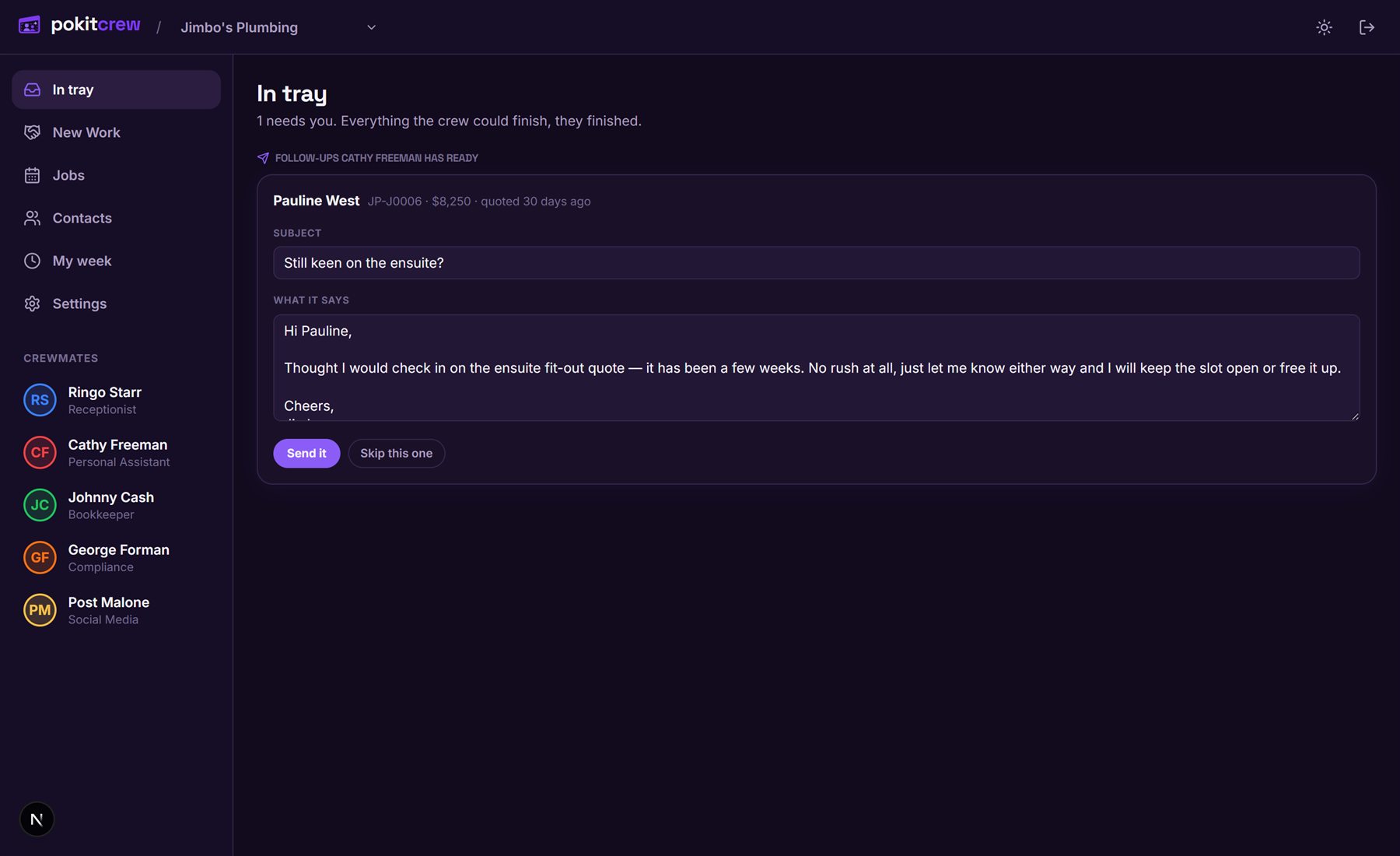
The in tray — the only screen you have to open
Everything the crew needs a decision on, in one list. A quote's gone quiet, so Cathy's written the nudge — it sits here until you tap Send it. Nothing goes to a customer until you've said so.
- Approvals pinned at the top — invoices, follow-ups, posts, orders
- Overnight calls and messages with what was said and how urgent it is
- Everything the crew could finish themselves, they finished
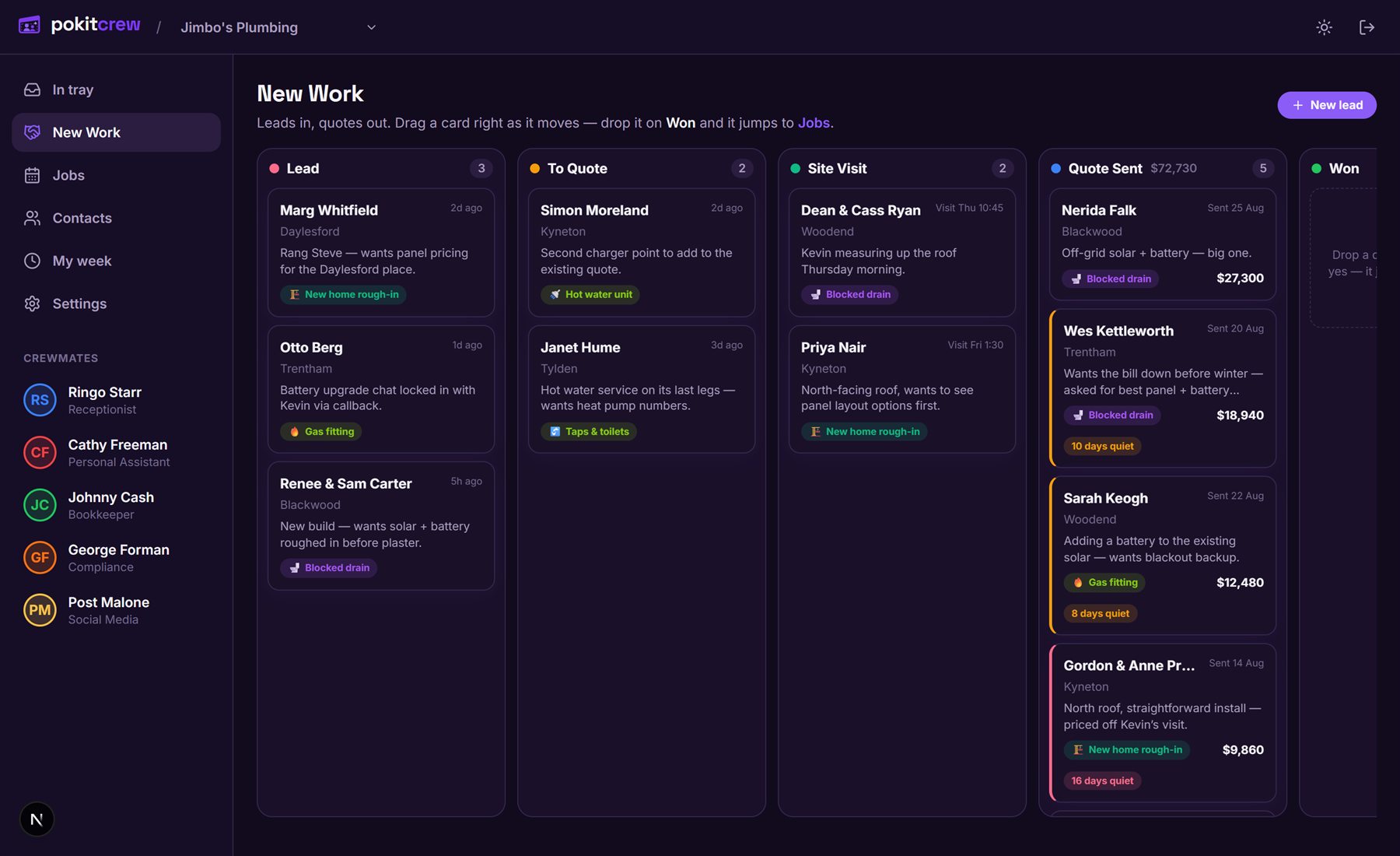
New Work — leads in, quotes out
Every enquiry lands as a card and moves right as it turns into money: lead, quote, site visit, quote sent, won. The quiet ones go amber so nothing dies in a pile — and the column header tells you what's out there in dollars.
- Drag a card right as it moves — drop it on Won and it becomes a job
- "10 days quiet" chips on quotes nobody's answered
- The Quote Sent column totals what's waiting to be won
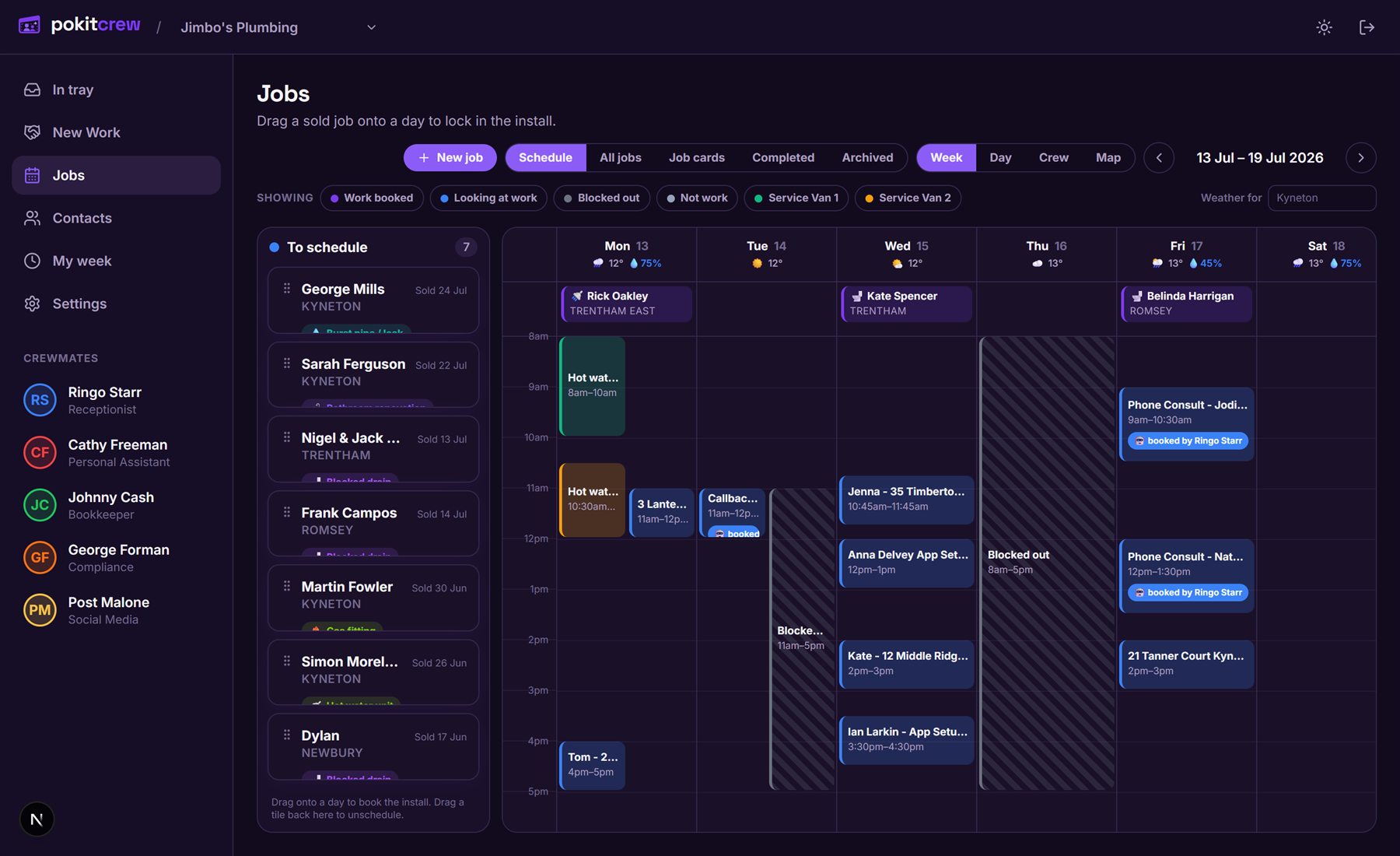
Jobs — drag it onto a day and it's booked
Sold jobs with no date sit in the sidebar until you drag them onto a day. Multi-day installs span the days they actually take, weekends get skipped, and the bookings Ringo made on the phone are already on there — labelled.
- Sold → scheduled → on the tools → invoiced, all on one board
- Phone bookings land here by themselves, tagged "booked by Ringo"
- Weather on every day, because the forecast decides roof work
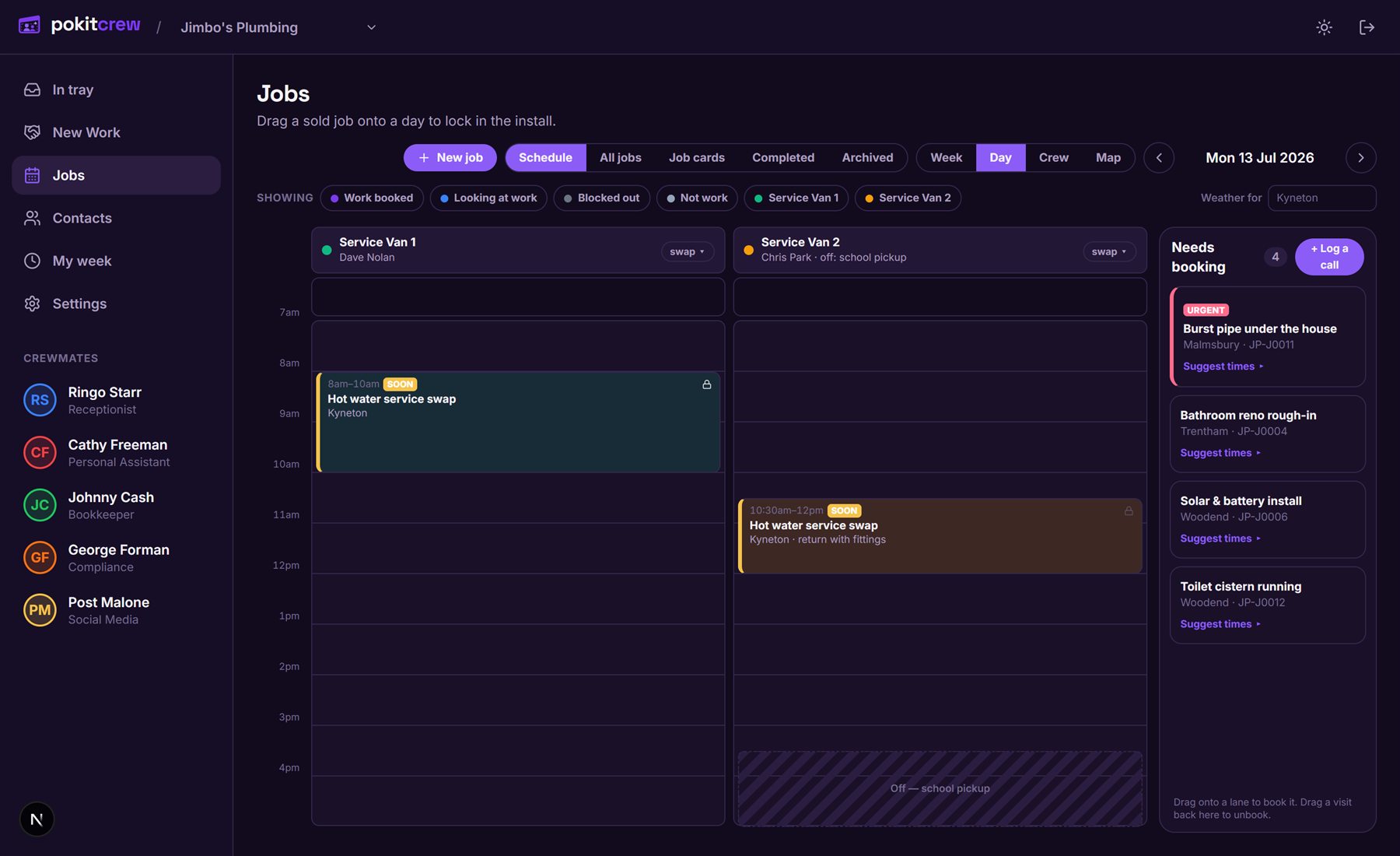
The day's run — one lane per van
Set up a work calendar for every van or crew and the day view becomes lanes. A tech calls in sick? Swap the person on the lane — the bookings don't move. The "needs booking" tray sits beside it, urgency-flagged, with suggested times one tap away.
- Urgent jobs flagged red the moment they're logged
- "Suggest times" finds the gap closest to where the van already is
- School pickup, RDOs and sick days blocked out per person
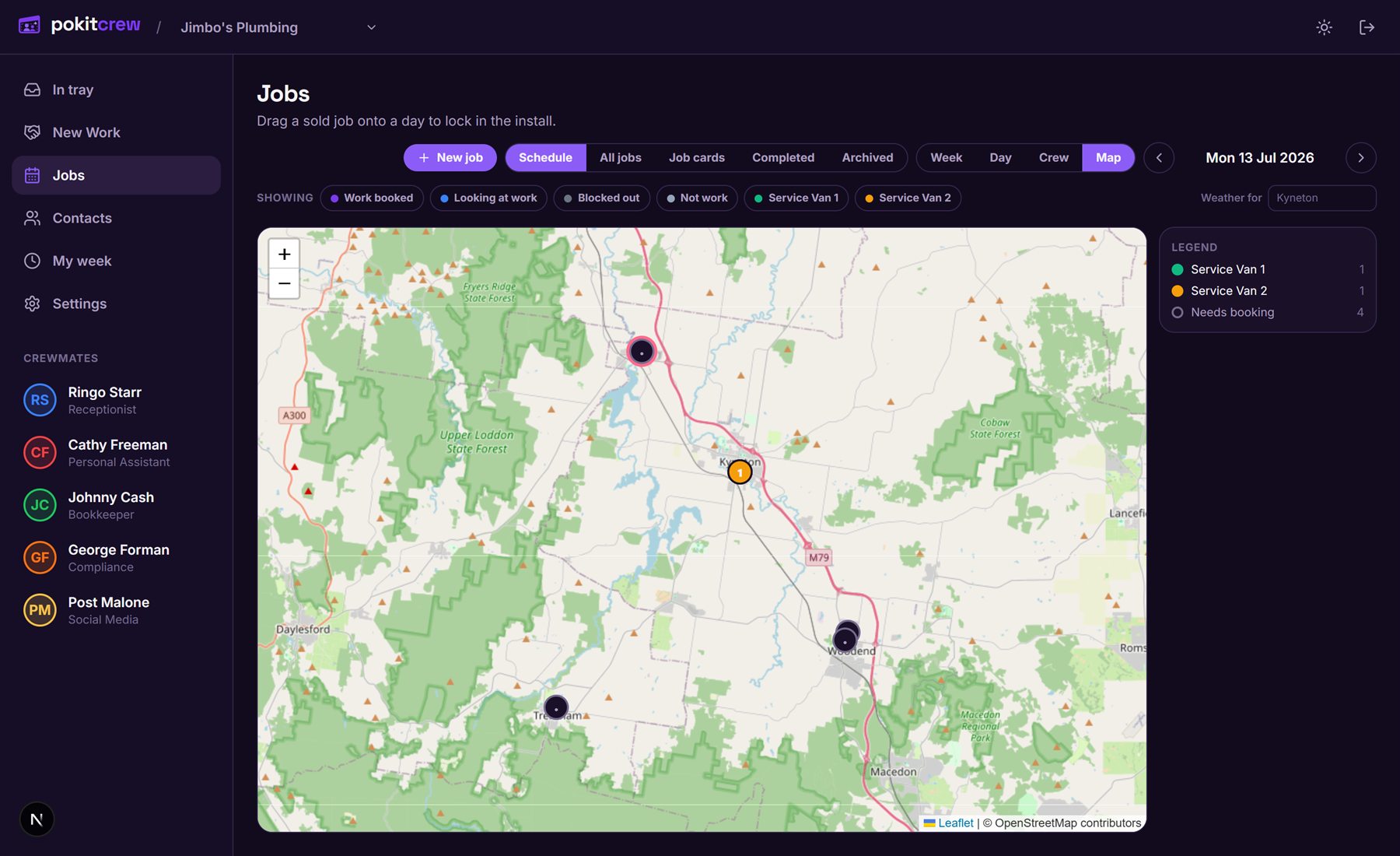
The run on a map
The same day, pinned on a map, coloured per van. You can see at a glance whether the run makes sense — and where the unbooked jobs sit relative to where the crew already is. That's how the booking suggestions keep the driving down.
- Every booked job pinned, numbered in run order
- Jobs still needing a time shown hollow, so gaps are obvious
- Less windscreen time, more tool time
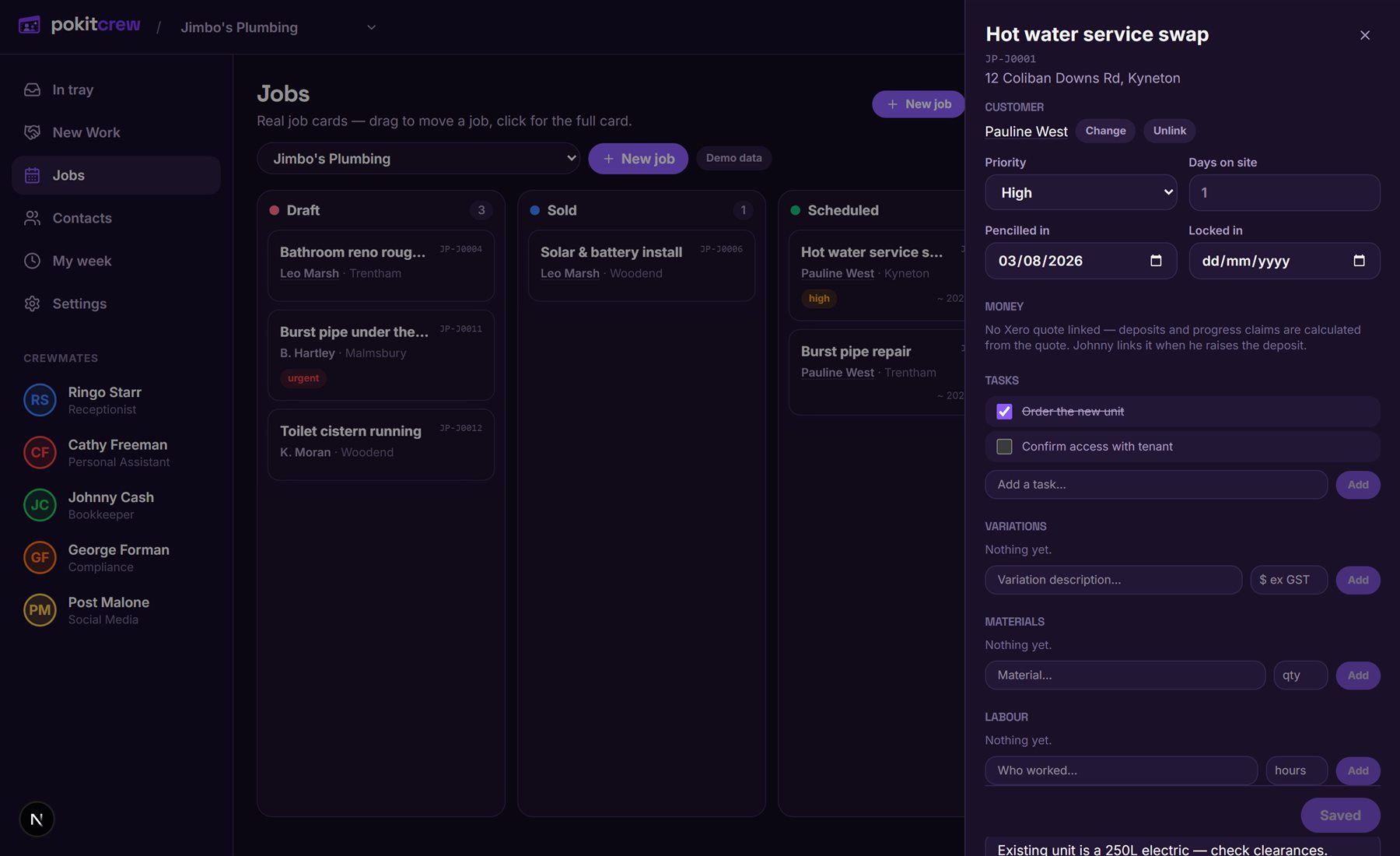
The job card — the whole job on one page
What was sold, the checklist for your trade, materials, hours on site, variations, and the money. The compliance lines tick themselves off when Xero says the money landed.
- Checklists per trade — COES, ARC records, pressure tests, rebates
- Money straight from Xero: deposit sent, deposit paid, final invoice, paid
- Tasks, variations, materials and labour on the one card
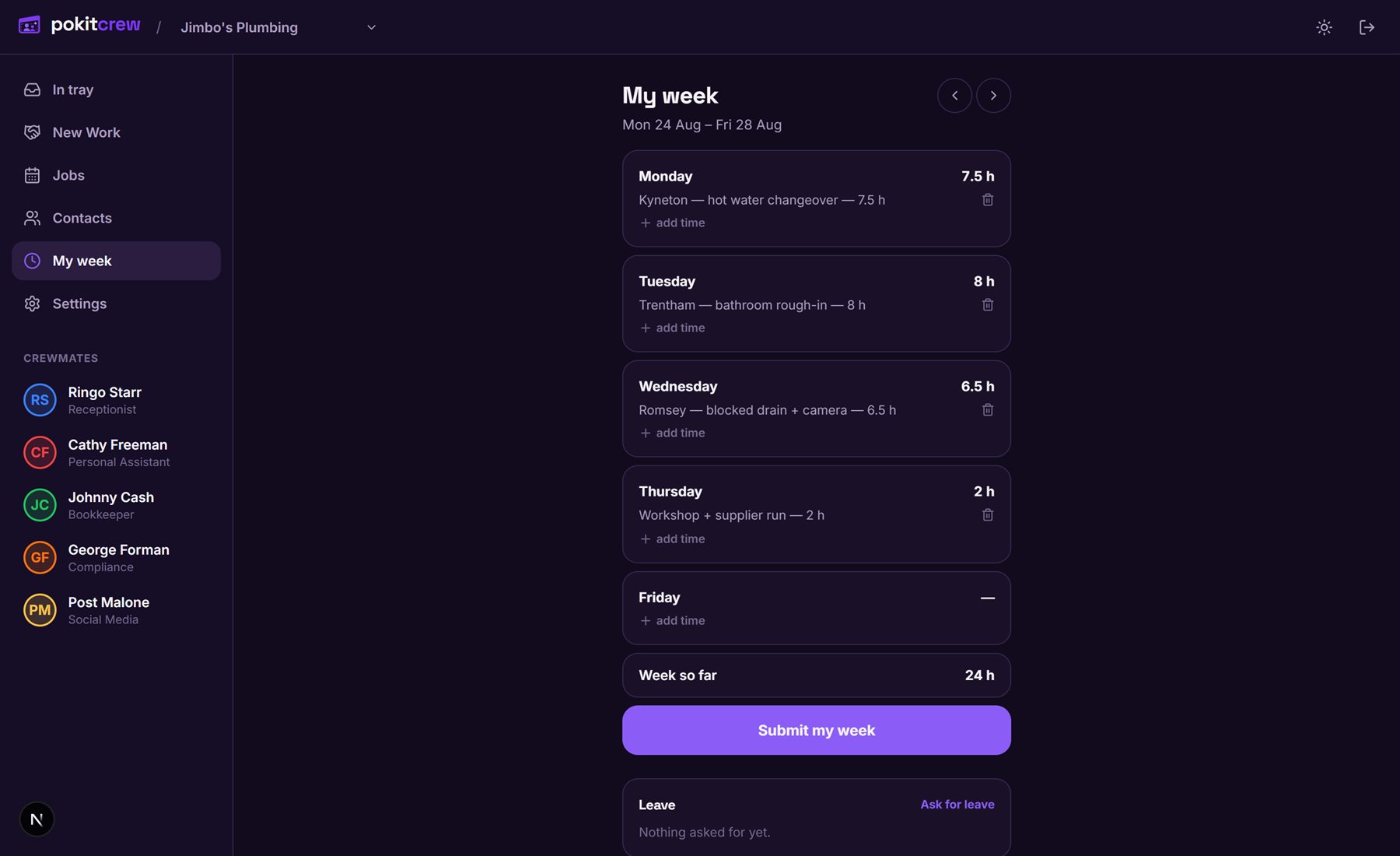
My week — timesheets that fill themselves in
Hours clocked on jobs land in the week by themselves; anyone can add the odd workshop or travel hours and submit. Leave gets asked for on the same page, you approve it in one tap, and the roster blocks that person out automatically.
- Clock-ons from the job become timesheet lines on their own
- One button submits the week to the office
- Approved leave blocks the person out of the booking run
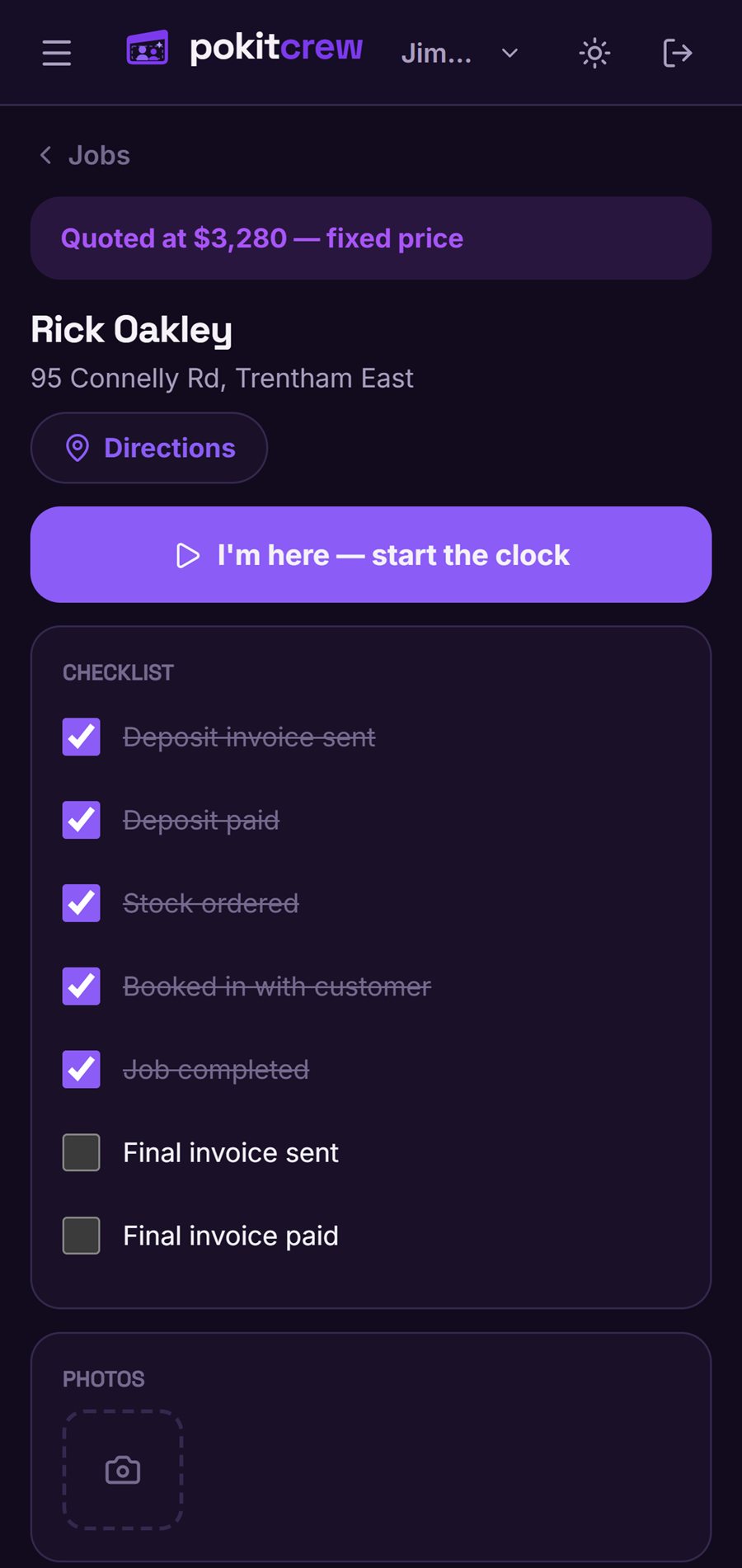
The job sheet your crew sees
Your field crew get their own login — and their own view. The day's run, then one job at a time: the address, directions, the checklist, photos, and a big "I'm here" button that starts the clock. What they don't get is your books — pricing stays hidden unless you switch it on.
- "I'm here — start the clock" logs arrival and starts the timer
- Checklist, photos and job notes — no money screens, no settings
- Ring George from the driveway and the risk assessment clocks them on too
It's on your phone too
Same jobs, same approvals, in your pocket. Approve an invoice standing in someone's driveway.
Three sizes of dashboard
Simple, standard or the lot. "I hate technology" is a setting — big buttons, today's jobs, nothing else. Change it whenever.
Nothing to learn
If you can read a job sheet you can read this. There's no training, no onboarding videos, no certification.
Your data stays yours
The crew work inside your Xero, your calendar, your inbox and your accounts. We don't hold your business hostage in ours.
Take a few hats off.
Here's the whole deal: $69 a week for the crew, billed monthly. Tell us how your business works — by voice or by form — connect your tools, switch them on. Most blokes start with Ringo; the rest are already included when you're ready.